One number. What you can spend today.
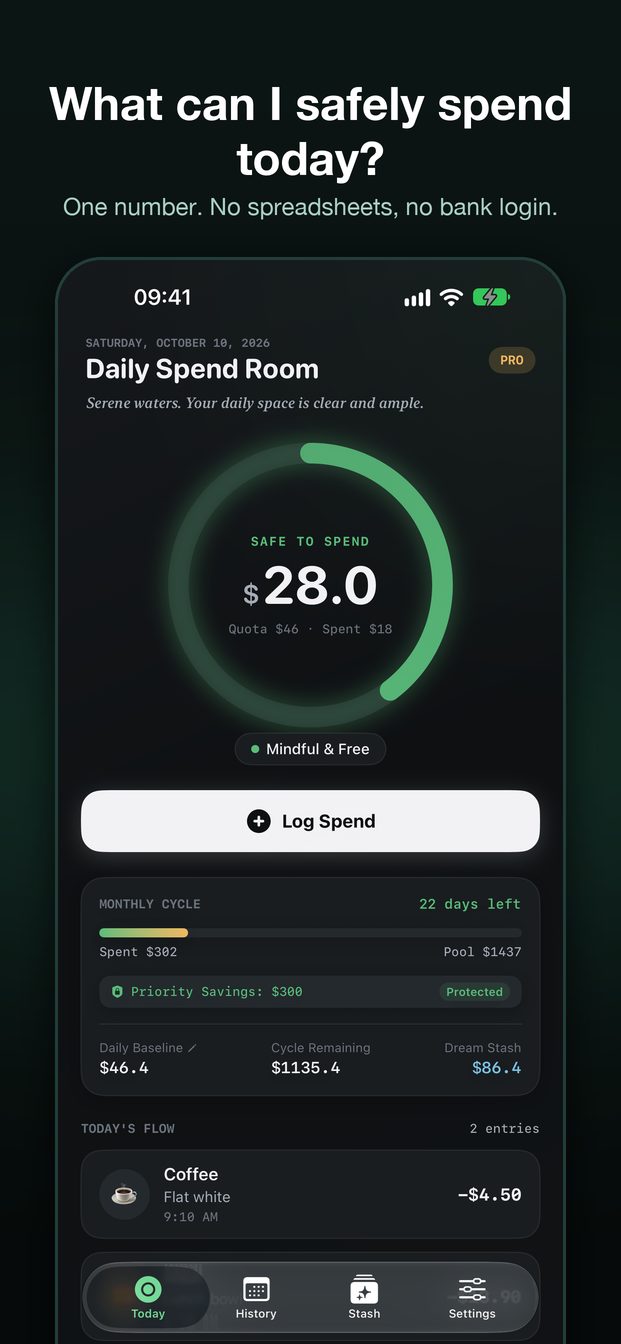
Daily Spend Room is a daily budget app that does not audit last month. It turns your monthly pool, after fixed bills and savings, into today’s safe-to-spend amount. The ledger stays on this iPhone.
Download on the App StoreFree to start. First 100 entries free, one-time Pro. No account required.
SAFE TO SPEND
Example
133.3
A 7,500 pool minus 3,500 in fixed bills, across a 30-day cycle. The home screen shows 133.3, not 7,500.
Inside the app
A calm daily budget tracker.
How the number is made
Pool, minus bills, divided by the cycle.
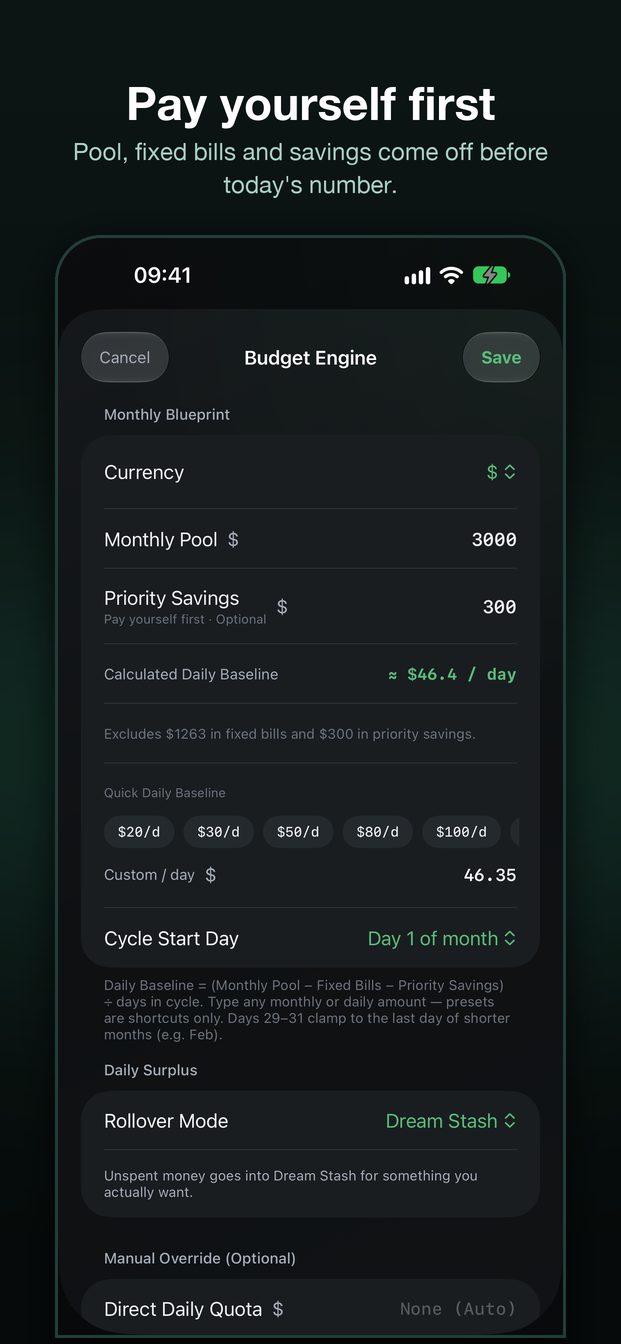
Today’s amount = (monthly pool − fixed bills) ÷ days in the cycle.
1
Monthly pool
The money you can freely spend this billing cycle. Not your salary, and not the number on the home screen.
2
Fixed bills
Rent and subscriptions are removed before the daily number is calculated. Do not log them again, or the same bill is counted twice.
3
Today
Each expense lowers today’s number. Unspent money can go to Dream Stash, spread over the days left, or reset tomorrow.
Features
A small ledger around one decision.
Log, edit, delete, or backfill a past day. You do not need a second ledger.
Log, edit, delete
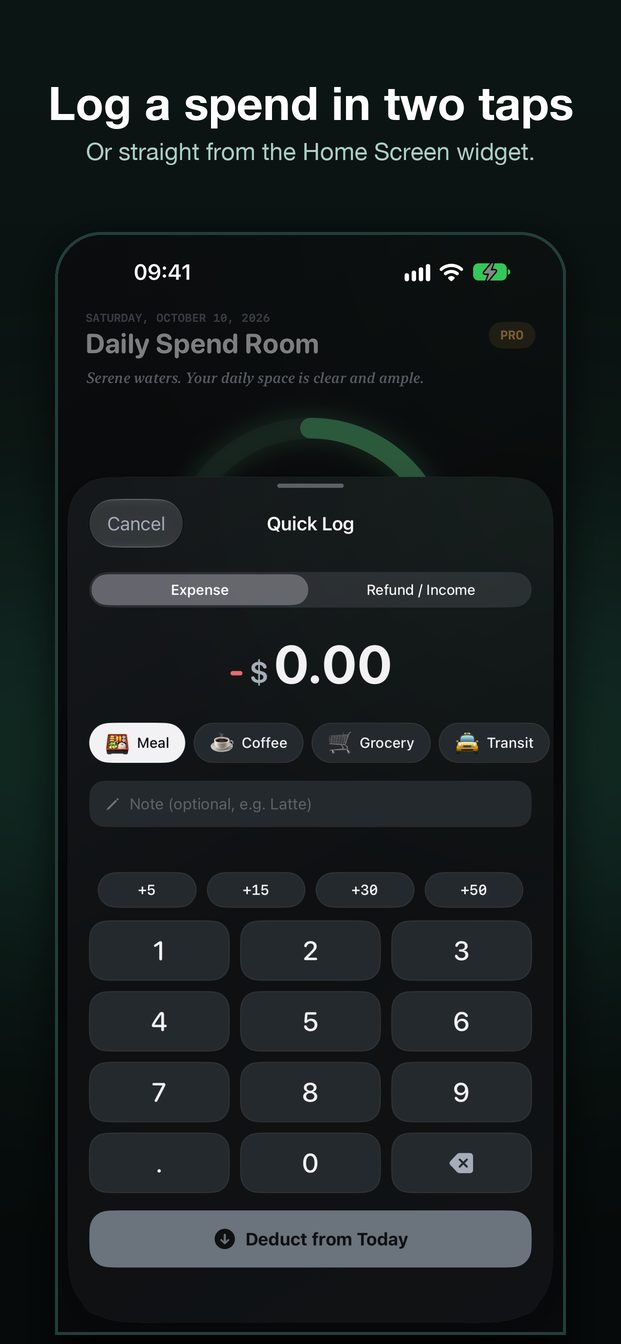
Tap Log Spend, pick a category, and confirm. Open an entry to change it or delete it. A fresh entry can be undone from the banner.
Calendar
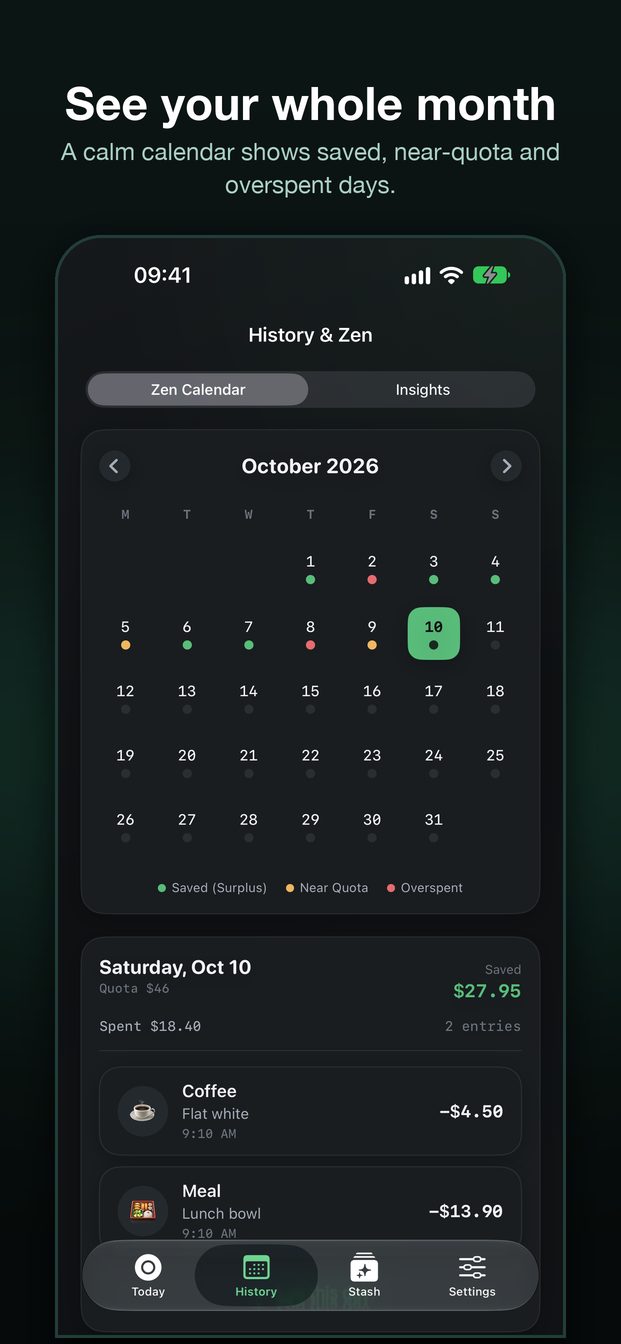
Tap a day and that day’s entries open under the month. Backfill onto that day instead of dumping it onto today.
Home Screen widget
The widget shows the same number as Today. −5, −15, and −30 queue a real expense and count toward the free entry limit.
Dream Stash
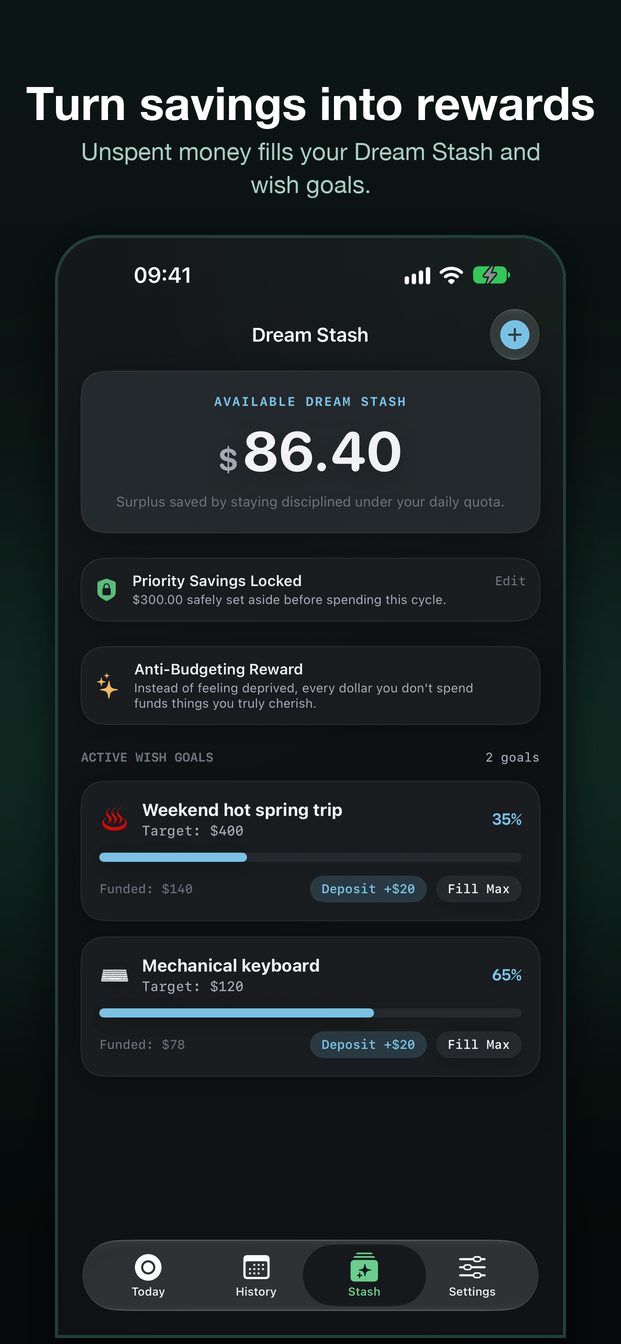
Money you didn’t spend can sit aside for something you actually want. One goal is free. Pro adds more.
Face ID
Optional lock for the daily number. iOS does the authentication. Daily Spend Room never receives your biometric data.
Pro, one-time
A one-time purchase. Free covers 100 entries, one wish, and the default theme. Pro removes the entry limit and adds export, more themes, and more wishes. No subscription.
On this iPhone
The ledger does not have an account.
Expenses, fixed bills, and wishes stay in the app. The widget reads a snapshot from an App Group shared only with SpendZen. Deleting the app deletes the ledger.
Read the privacy policy →- No analytics SDK and no ads.
- No server copy of your spending.
- CSV and JSON export is a Pro feature, and the file leaves the phone only when you share it.
- Purchases are handled by Apple. SpendZen does not see your card.
FAQ
Before you trust the number.
Why isn’t the home screen my monthly pool?
Home shows what’s left after fixed bills, split across the cycle. 7,500 with 3,500 in bills is a 4,000 pool, then about 133 a day in a 30-day cycle.
What if the month has no 31st?
A cycle start of the 29th, 30th, or 31st clamps to the last day of a shorter month, then returns to your chosen day when the month is long enough.
Can I delete an entry?
Open the entry and choose Delete this entry. You can also long-press the row. Today’s number updates immediately.
What happens if I delete the app?
The ledger is gone. There is no account to restore it. Export a backup first if you have Pro.